
Skip to content
oval with text that reads 'Hootsuite MCP servers'

Use Hootsuite from your favorite AI tools 

Save time and enhance your workflow by linking Perch, Nest, or Lumen to ChatGPT, Claude, Copilot, and more. Schedule posts, triage your inbox, and get listening insights directly from your Hootsuite account — all from your preferred AI chat.

Perch

Content creation, planning, and publishing

PerchMCP
Draft a post about our product launch for every channel.
WORKS WITH

Draft posts, schedule at the best time, use your content library, and review performance from chat.

MCP server URL
https://mcp.hootsuite.com/perch
Lumen

Insights and listening

LumenMCP
What’s trending in our industry, and how does our brand sentiment compare?
WORKS WITH

Track mentions and sentiment, find influencers, and summarize competitive intel from chat.

MCP server URL
https://app.talkwalker.com/app/mcp
Nest

Social inbox and customer care

NestMCP
Show urgent inbox items and assign the priority ones to the care team.
WORKS WITH

Triage your inbox, assign conversations, reply with saved responses, and resolve issues from chat.

MCP server URL
https://mcp.hootsuite.com/nest

Connect Hootsuite to the AI tools you love

Hootsuite MCP servers connect to ChatGPT and Claude through pre-built connectors — no technical setup required. Using Gemini or Copilot? Select your Hootsuite product to get your MCP server URL and share it with your IT administrator.

Need a Hootsuite account? Start your free trial or request a demo.

Start your free trialRequest a demo

1. Choose an MCP server
2. Choose your AI tool

Perch MCP server in ChatGPT

Perch MCP server in Claude

Perch MCP server in Copilot

Nest MCP server in ChatGPT

Nest MCP server in Claude

Nest MCP server in Copilot

Lumen MCP server in ChatGPT

Lumen MCP server in Claude

Lumen MCP server in Copilot

  1. Open ChatGPT → Settings → Apps → Connectors → Add MCP server.
  2. Open Claude → Settings → Connectors → Add custom connector.
  3. Open Copilot Studio and open your agent (or create one). Go to the Tools page.
  4. Select Add a tool → New tool → Model Context Protocol to launch the MCP onboarding wizard.
  5. Enter the server name, description, and the Perch server URL below, then choose the authentication type (OAuth 2.0 for Hootsuite sign-in).
  6. Enter the server name, description, and the Nest server URL below, then choose the authentication type (OAuth 2.0 for Hootsuite sign-in).
  7. Enter the server name, description, and the Lumen server URL below, then choose the authentication type (OAuth 2.0 for Hootsuite sign-in).
  8. Create the tool, then open the connection manager and connect with your Hootsuite workspace when prompted.
  9. Choose "Remote URL" (or equivalent) and paste the Perch server URL below.
  10. Choose "Remote URL" (or equivalent) and paste the Nest server URL below.
  11. Choose "Remote URL" (or equivalent) and paste the Lumen server URL below.
  12. Sign in with your Hootsuite workspace when prompted. Authorization is one-time.
  13. Start a new chat and ask in plain English. ChatGPT will call Perch MCP tools for you.
  14. Start a new chat and ask in plain English. Claude will call Perch MCP tools for you.
  15. Start a new chat and ask in plain English. Copilot will call Perch MCP tools for you.
  16. Start a new chat and ask in plain English. ChatGPT will call Nest MCP tools for you.
  17. Start a new chat and ask in plain English. Claude will call Nest MCP tools for you.
  18. Start a new chat and ask in plain English. Copilot will call Nest MCP tools for you.
  19. Start a new chat and ask in plain English. ChatGPT will call Lumen MCP tools for you.
  20. Start a new chat and ask in plain English. Claude will call Lumen MCP tools for you.
  21. Start a new chat and ask in plain English. Copilot will call Lumen MCP tools for you.
MCP server URL
https://mcp.hootsuite.com/perch
https://mcp.hootsuite.com/nest
https://app.talkwalker.com/app/mcp

With MCP, your AI can do more than answer questions

Connect now and start creating content, managing customer conversations, and uncovering insights directly from your favorite AI assistant.

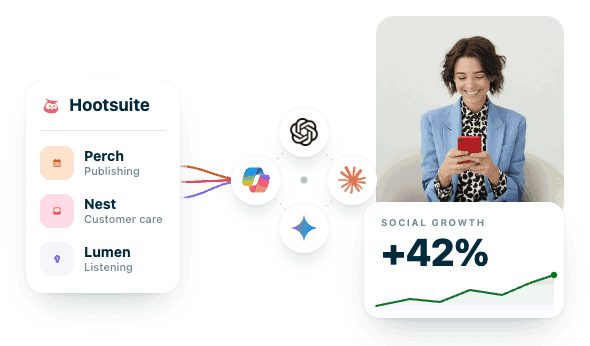
Woman smiling at phone beside Hootsuite dashboard showing social growth of +42% with publishing, customer care, and listening tools.

Use Hootsuite without even opening Hootsuite

Connect Hootsuite MCP servers to your favorite AI tool and turn conversations into real results. Create and schedule content, manage customer conversations, uncover trends, and access social insights — all without leaving ChatGPT, Claude, Gemini, or Copilot.

Frequently asked questions (FAQs)

The Hootsuite MCP (Model Context Protocol) connects Hootsuite products like Perch, and Lumen to AI tools such as ChatGPT, Claude, Gemini, and Microsoft Copilot. Once connected, you can use natural language to create content, schedule posts, analyze performance, monitor conversations, and manage customer interactions directly from your preferred AI assistant.

Yes. Hootsuite MCP servers allow ChatGPT to securely access your Hootsuite data and workflows. You can ask ChatGPT to draft social posts, schedule content, review analytics, monitor brand mentions, summarize inbox conversations, and more — without switching between tools. Hootsuite's MCP strategy is designed to make publishing, listening, analytics, and customer care available inside the AI tools teams already use.

Yes. Hootsuite MCP servers are designed to work with MCP-compatible AI tools, including Claude, Gemini, Microsoft Copilot, and other supported assistants. Once connected, you can access Hootsuite workflows and data from whichever AI platform your team prefers. Hootsuite's goal is to make social workflows available wherever users work, not just inside the Hootsuite interface.

Perch connects content creation, planning, publishing, and analytics to your AI assistant of choice. You can draft posts, schedule content, upload media, review campaign performance, compare results across social networks, and access content planning workflows using natural language. The initial MCP capabilities include publishing, drafts, media uploads, and cross-network analytics.

Nest connects your social inbox and customer care workflows to AI tools. You can review incoming messages, identify urgent conversations, triage support requests, summarize customer feedback, and manage social engagement from chat.

Lumen brings social listening and intelligence directly into your AI assistant. You can track brand mentions, monitor sentiment, identify emerging trends, research competitors, discover influencers, and analyze conversations happening across your industry — all through a simple conversation.

No coding experience is needed for Claude and ChatGPT — you can connect by following the steps in your AI tool's connector settings. For Gemini and Microsoft Copilot, setup requires IT administrator access.  Once connected, you can interact with Hootsuite using plain language instead of APIs, code, or complex queries.

Yes. MCP servers use authentication and permission controls to ensure AI tools only access data and actions you authorize. Users can connect and disconnect MCP servers at any time, and permissions remain tied to their Hootsuite account. Hootsuite's MCP implementation supports authenticated access and user-controlled connections.

AI can help draft, prepare, and schedule content through Hootsuite workflows, but organizations maintain control over publishing. Human review remains an important part of the content approval process, helping teams ensure accuracy, compliance, and brand consistency. Wisdom and Hootsuite workflows are designed around a human-in-the-loop model.

Wisdom is Hootsuite's social-first AI workspace that helps teams understand what matters and take action across the Hootsuite suite. MCP servers make Hootsuite's capabilities available inside external AI tools like ChatGPT and Claude. Together, they allow teams to work with Hootsuite intelligence and workflows wherever they prefer. Wisdom is the conversational layer connecting insights, publishing, care, and listening across the Hootsuite ecosystem.

Yes. You'll need an active Hootsuite account and access to the relevant product — such as Perch, Nest, or Lumen — to connect its MCP server and use its capabilities inside your AI assistant. Hootsuite MCP services are designed to extend existing Hootsuite workflows into AI tools.

Connecting Hootsuite to ChatGPT, Claude, Gemini, or Copilot helps your team move faster. Instead of switching between dashboards, you can ask questions, generate content, analyze results, manage conversations, and uncover insights from a single chat interface. The result is less manual work and faster action across your social media workflow.